
If you create invoices, contracts, or reports daily and would like to automate the document generation process and save time and effort, Plumsail and Integrately will help you achieve this. With these two products, you can automate document generation and create workflows that work for you.
In this article, you will learn what is Plumsail Documents and how to connect it to Integrately to improve your productivity. We will explore a few practical use cases, so you get the gist of what’s possible.
Plumsail Documents is a powerful tool to automate document generation and delivery. You can generate documents automatically by pulling data from your favorite app, databases, or simply by filling in a web form. It will create a document based on a template which can further be saved to your preferred cloud storage, delivered via email, or sent for signature. By using different triggers, it allows users to have full control over workflows and automation.
With Plumsail and Integrately you can automate document workflows with a few clicks by connecting it to 1200+ apps. Here are a few necessary steps:
Once you tested the flow and you are satisfied with the outcome, Turn On the automation and your documents will be processed automatically based the defined triggers.
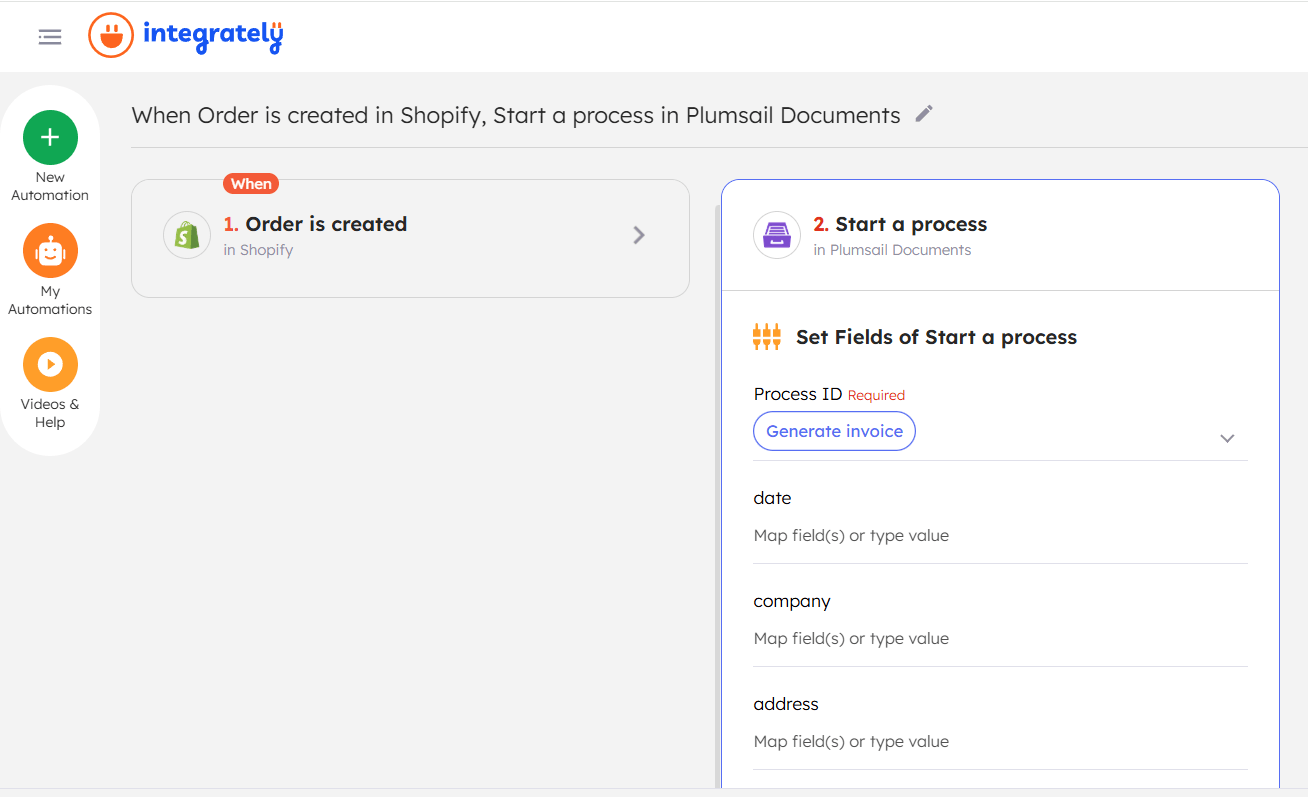
Example: Suppose you want to automate invoice generation for new Shopify orders. In this case, you would set the trigger as “Order Created in Shopify”, and the action as “Start a Process in Plumsail Documents” to generate and send the invoice to the customer.
By using this automation, your customers will instantly get a PDF invoice sent to their email address.
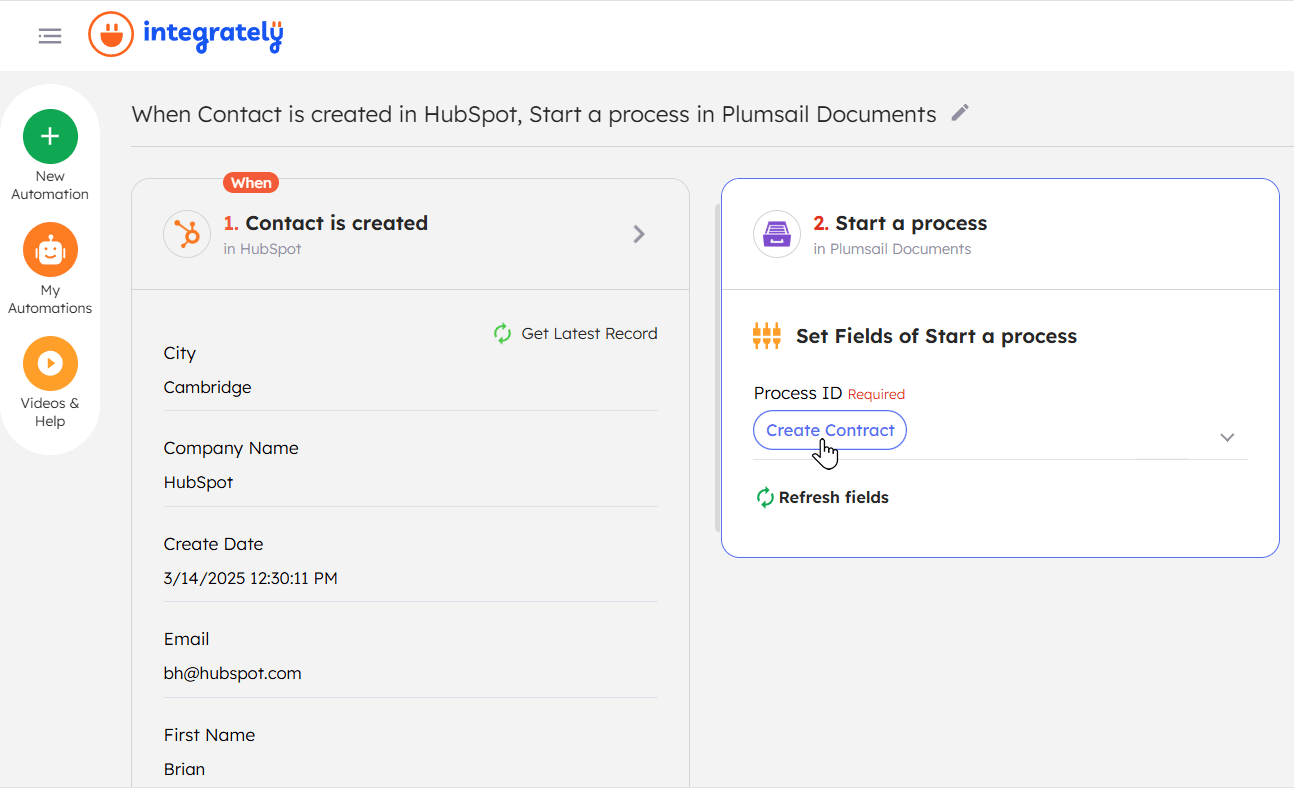
Example: Suppose you want to automate contract generation for new HubSpot contacts. In this case, you would set the trigger as “Contact Created in HubSpot”, and the action as “Start a Process in Plumsail Documents” to generate and send the contract for e-signature.
To set this up, you’ll need to create a process in Plumsail Documents, upload a contract template, and choose the preferred delivery method for e-signature.
Example: You can start this automation with any trigger of your choice. The trigger will then initiate the “Start a Process in Plumsail Documents” action, which will generate a document based on the selected template and save it to Plumsail Documents’ cloud storage.

To save the resulting document to your cloud, you can choose one of the built-in delivery options inside Plumsail Documents. In this case, your automation in Integrately will end with the ‘Start a process’ action, and the process itself will handle the document delivery.
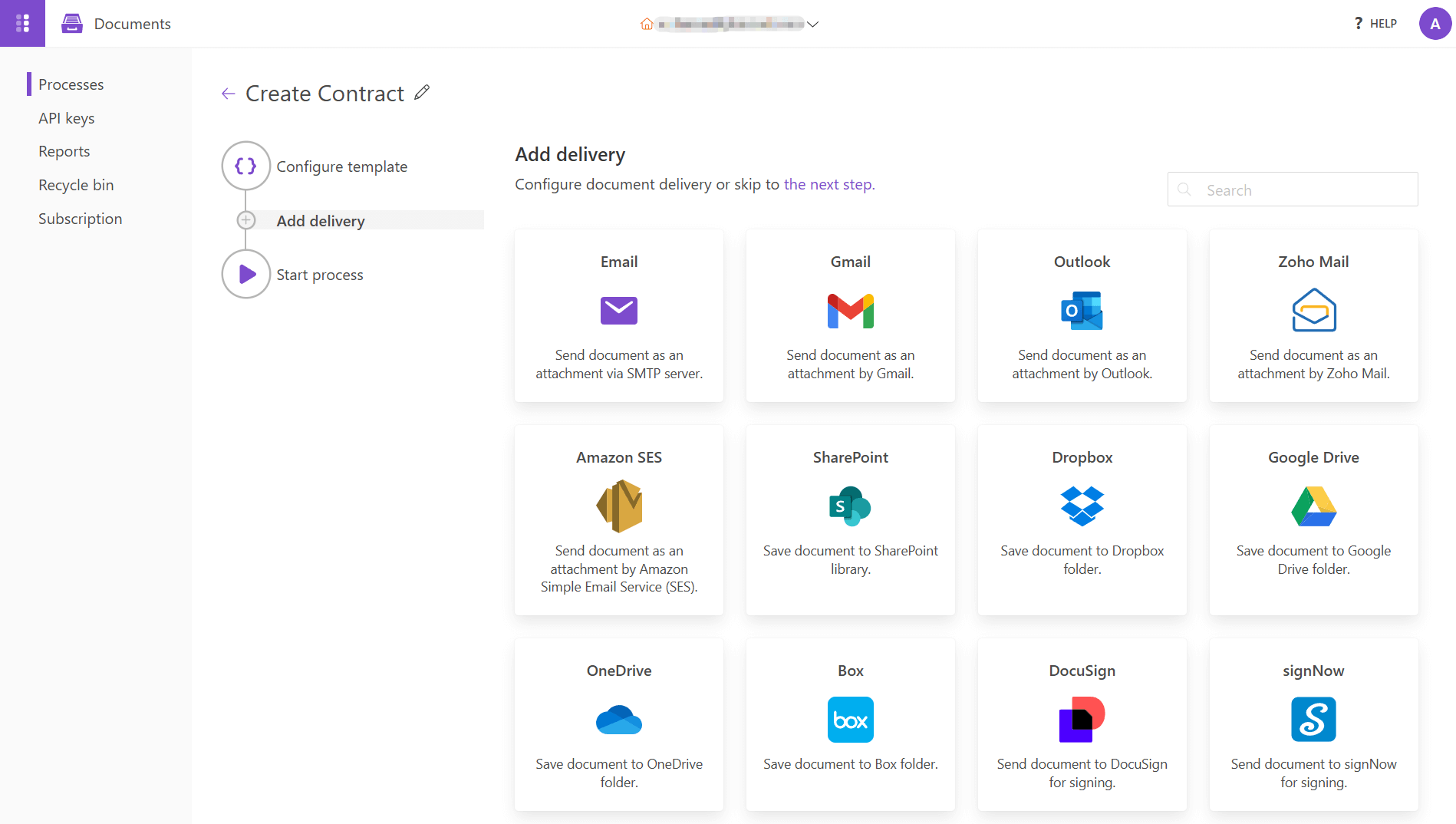
Otherwise, you can add another action after the ‘Start a process’ action in Integrately and use its output to save the document to your cloud storage.
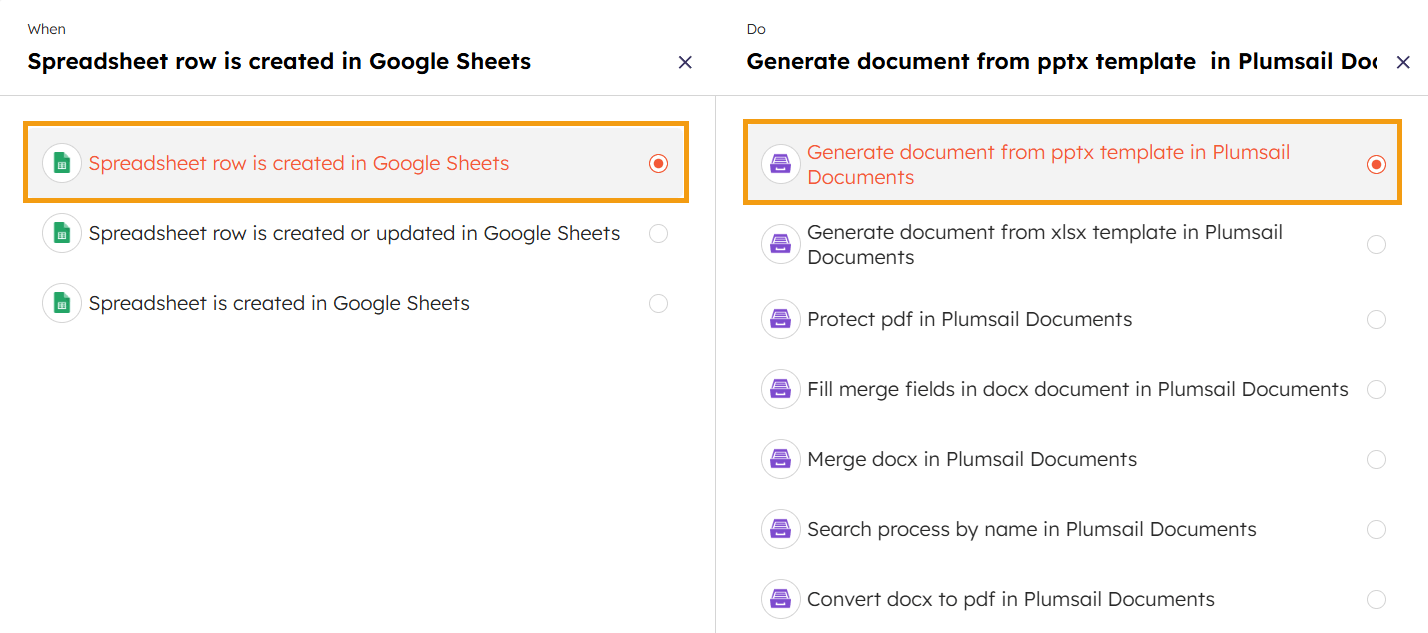
You can automate report creation and distribution using Plumsail Documents. Example: Suppose you use Google Sheets as your database—you can set the trigger as “New Spreadsheet Row Created in Google Sheets.” This will initiate the action “Generate Document from PPTX Template in Plumsail Documents.” It allows you to automatically deliver the report via email, save it to cloud storage, or send it to Slack or Microsoft Teams.
These are just a few cases to explain the basic use of Plumsail Documents with Integrately. There is much more to it. These kinds of automations can save and streamline operations across different departments in your company.
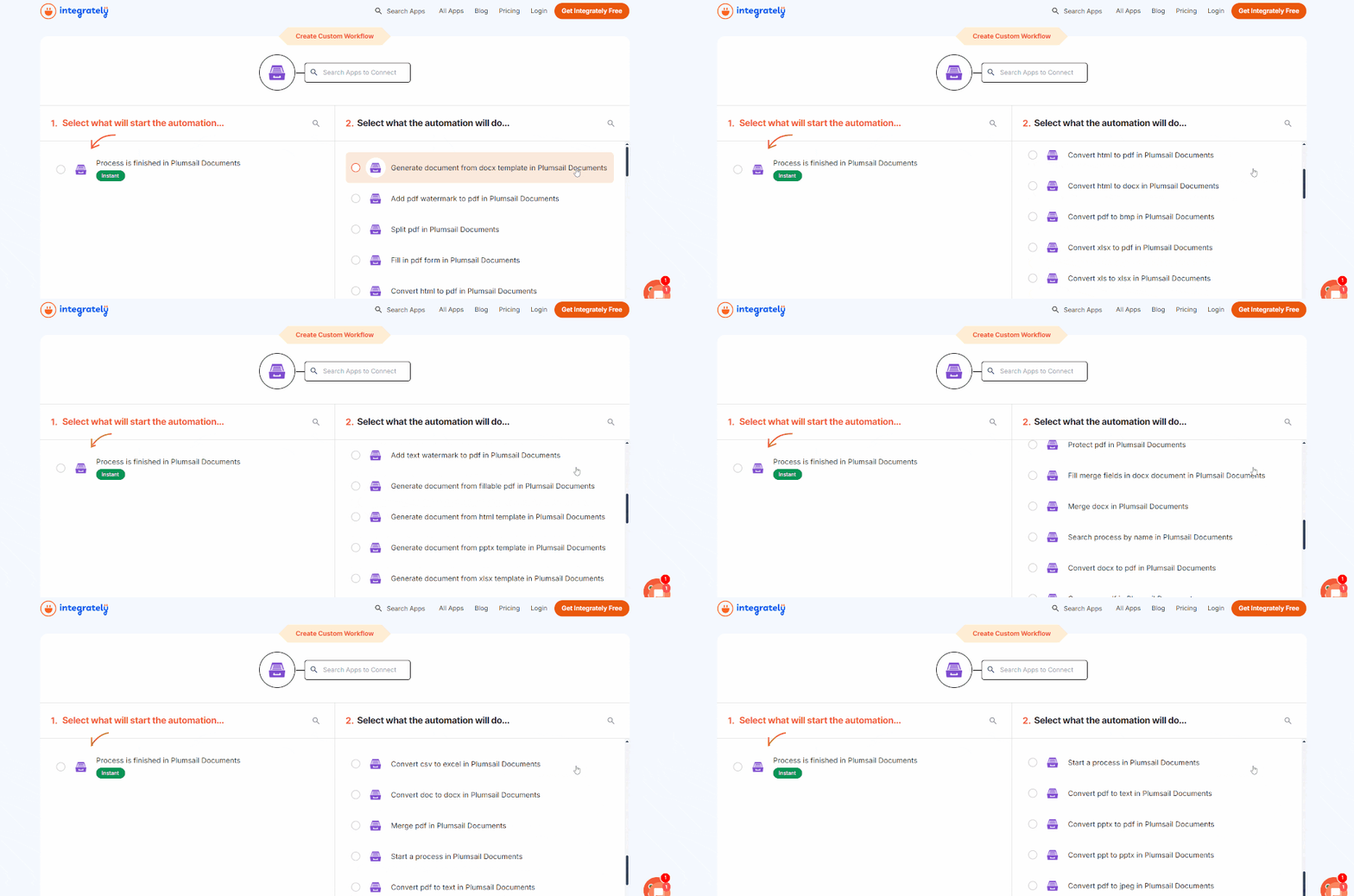
Plumsail Documents actions in Integrately to generate documents from templates:
Plumsail Documents actions in Integrately to convert different types of documents:
And a few more actions to work with PDFs:
Actions like Create Archive, Extract from Archive, and Merge DOCX could be also found and used with Integrately.
Documents are at the heart of every business, but creating them manually can be time-consuming and prone to errors. With Plumsail Documents and Integrately, you can automate this entire process—turning routine tasks into seamless workflows.
Whether it’s generating invoices, contracts, or reports, automation ensures speed, accuracy, and consistency while freeing you up for more meaningful work. Instead of spending hours on document creation, let automation handle it, so you can focus on growing your business.


 #1 Highest rated integration platform for non-techies
20 Million+ ready automations
3x-10x less expensive
#1 Highest rated integration platform for non-techies
20 Million+ ready automations
3x-10x less expensive