
4  min read

Automate your marketing with Mailmodo + Integrately: The Complete 2025 Guide

July 22, 2025
Table of Contents

    How to set up marketing automation flows in Mailmodo using Integrately

    Ever felt stuck in the loop of repetitive marketing tasks—sending the same emails, tagging leads manually, or chasing down follow-ups?

    Honestly, it’s exhausting. The to-do list never ends:

    • Export leads from your ad platform.
    • Tag them based on behavior.
    • Trigger the right email at the right time.
    • Then check—did it even go out?

    It’s not just time-consuming—it’s risky. Because one missed trigger, one unsynced list, and your campaign’s performance can take a serious hit.

    But it’s not a bad strategy—it’s broken systems. And they’re silently tanking your results.

    That’s where Mailmodo + Integrately come in. Integrately helps you connect Mailmodo with 1200+ apps and automate all your marketing tasks in 1-click, so that:
    • Emails land on time, 
    • Leads never get lost, and 
    • Your campaigns actually convert.
    Mailmodo now connects with 1200+ apps via Integrately, including Salesforce, HubSpot Shopify, Sheets, Stripe, LinkedIn and more—making marketing automation easy to setup.

    What is Mailmodo?

    Mailmodo is an end-to-end email marketing platform that allows you to create and send interactive emails and set up automation for your email marketing campaigns.

    Here are some features that Mailmodo offers:

    1. Interactivity in emails: Enable recipients to take action within their inboxes by filling out a form or taking a survey.
    2. Email automation: Set up emails to be sent on pre-defined criteria.
    3. Drag and drop email editor: Easy-to-use drag-and-drop email editor to create visually stunning and highly functional emails within minutes.
    4. Brand kit: Define your brand guidelines so email elements are automatically customized to match your brand’s style.
    5. A/B testing: Create and test the effectiveness of different variations of the same email.
    6. Email analytics: Analytics dashboard to track the performance of your email campaigns.
    7. Send time optimization: Schedule your campaigns to be sent at the best time based on the recipient’s past behavior.
    8. AI assistance: Suite of free AI tools to write emails and generate subject lines and email signatures.

    Use cases for Mailmodo and Integrately integration

    You can integrate Mailmodo with 1200+ apps like Gmail, Outlook, LinkedIn, Hubspot, & more using Integrately. The best part – Integrately has a free plan and very affordable pricing.

    There are two primary actions you can automate using Mailmodo integrations—

    1. Add a contact to your Mailmodo email list, and 
    2. Trigger (initiate) a Mailmodo campaign.

    Let’s check out some use cases where you can use Integrately for setting up automated workflows with Mailmodo.

    • Automatically trigger a welcome email sequence when a new lead is added to your CRM
    • Send an abandoned cart email when a customer leaves without making a purchase
    • Send automated post-event surveys to participants of a webinar
    • Trigger SMS or WhatsApp messages when users take specific actions in an email
    • Sync membership status with payment providers to trigger reminders for renewals

    How to use Mailmodo for more

    You can simply use Integrately to integrate Mailmodo with 1200+ apps and set up the automation you need. Let’s see how you can go about it.

    So, you have 2 different ways in which you can set up automations with Mailmodo and other apps using Integrately. We’ll walk you through both the options.

    Before you begin (pre-requisite):

    Log in to Integrately or Sign up for free.

    Option #1: Create your automation using the Integrately AI

    You can simply define what you need to automate, and ask it to generate the automation for you.

    For instance, you could say: When a new response is submitted in the form, send an email using Mailmodo.

    Once done, you can hit the generate button to generate the automation for you.
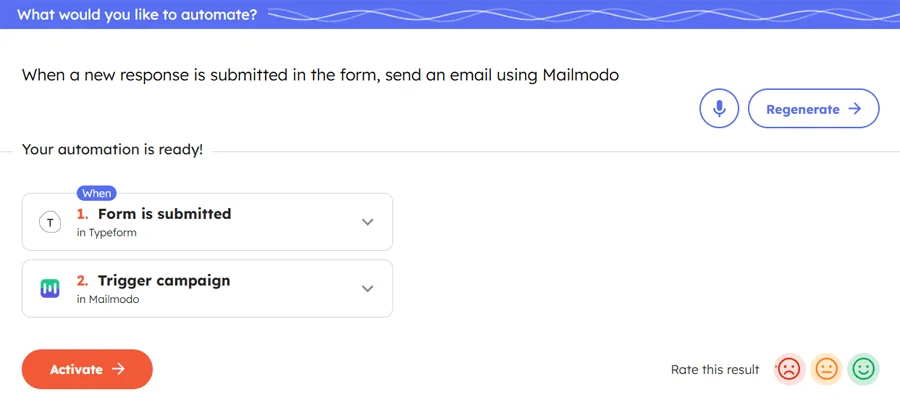
    Integrately's AI automation builder showing a prompt used to set up automation for Mailmodo integration, wherein  submitting a Typeform form automatically triggers a Mailmodo email campaign—demonstrating a no-code Mailmodo integration in action

    You can then hit the Activate button, log in to your accounts on the respective tools, connect them, customize, and make it live.

    Option #2: Choose from 1-click automation options

    This option requires you to choose all the tools you want to connect for the workflow. 
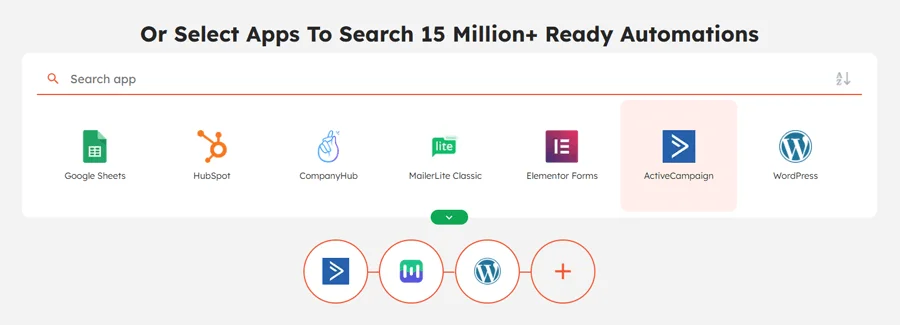
    Integrately interface showing how to select apps that you want to connect for creating automations, with an example of three apps selected: Mailmodo, WordPress, and ActiveCampaign. The interface highlights over 15 million ready-to-use automation options, with popular apps like Google Sheets, HubSpot, ActiveCampaign & 1200+ apps.

    Once done, you will get a list of options to choose from. You can click to activate the one that you want to set up.
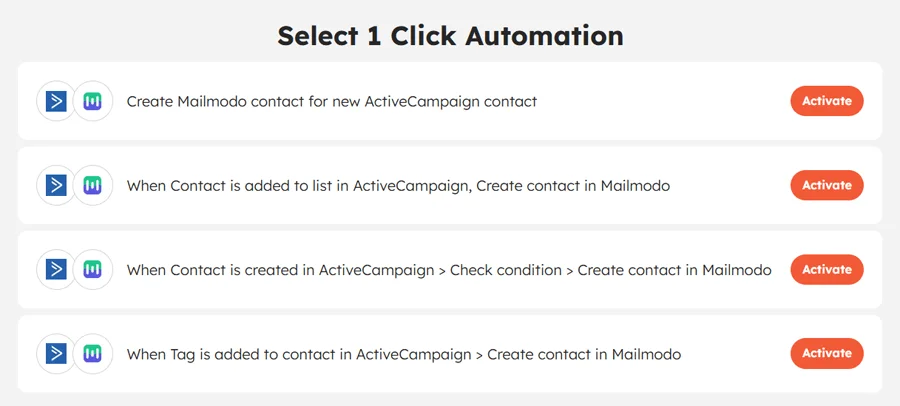
    A list of 1-click automation options for Mailmodo integration. Some automation examples include creating a Mailmodo contact when a new contact is added or updated in ActiveCampaign, with triggers like list addition, tag updates, or conditional checks. Each automation has an 'Activate' button on the right which will help you set it up in 1-click.

    Alternatively, you can choose the trigger and action you want if you don’t find the automation you were looking for.
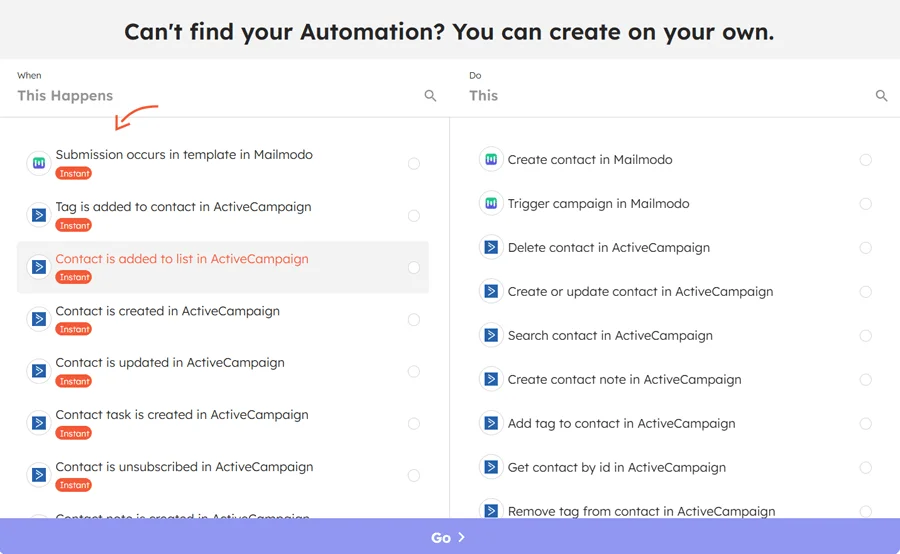
    List of supported triggers and actions for the Mailmodo integration

    Like before, you can log in, connect the tools, and make it live once you’ve made the customizations.

    Takeaways

    By connecting Mailmodo with 1200+ apps via Integrately, you can set up end-to-end marketing workflows in just a few clicks—no coding, no endless tab-switching.

    With Integrately, you can set up basic Mailmodo automations to advanced, multi-step flows—what you build is only limited by your im

    These automations can help you handle all the repetitive stuff in marketing, like:

    • Sending welcome emails, 
    • Triggering cart reminders, or 
    • Syncing lead data, & more

    But these are only a few out of hundreds or thousands of use cases for which you can use Mailmodo integrations.

    The more Mailmodo automations you set up, the more time your team gets to craft great campaigns rather than chasing checklists.


    Author - Abhishek A Agrawal
    Abhishek is the founder of Integrately, CompanyHub, and Dreamwares. He is passionate about technology and entrepreneurship. He is always looking to leverage technology for the growth of the business. He has a deep understanding of how businesses work and uses this knowledge to build products that help entrepreneurs grow their businesses.

    Related Posts

    anybody-can-integrate
    Integrate Your Apps In 1 Click With Integrately
    • #1 Highest rated integration platform for non-techies
    • 20 Million+ ready automations
    • 3x-10x less expensive